
Common ESS Utumishi Errors and How to Fix Them Easily
ESS Utumishi is an online system which is created by the government to help public servants. They can manage their work in one place. It allows the employees to access important information without visiting offices. ESS Utumishi is important because it gives government employees direct access to their personal and job records. Sometimes, users may face few errors on the ESS Utumishi portal due to high system traffic.
These errors also happen due to some reasons. These include wrong login details, expired password or incorrect OTP entries. Some technical issues also cause problems. These technical issues are slow internet, outdated browsers or system maintenance. You can fix these problems easily by following some simple steps.
Why ESS Utumishi Errors Occur
ESS Utumishi errors usually happen because the system is used by many people at the same time. Thousands of public servants try to log in together, the server becomes busy. This can cause slow loading, login failure or temporary system errors. Sometimes the portal is also under maintenance which means it may not work properly for a short time. User mistakes are another common reason for errors. Many users enter the wrong username, password or OTP during login. Some errors also occur during forms filling.
These errors occur when you type incorrect personal details or leave required fields empty. Some small mistakes can also stop the system from working correctly. Sometimes, a weak or unstable internet connection can also interrupt the process and show error messages. You can fix these issues by changing the browser, device or internet connection.
Most Common ESS Utumishi Login Errors
1.Incorrect Username or Password Error:
When your login details are typed incorrectly, these errors can occur. It can also cause when there are spelling mistakes, wrong keyboard settings or using an old saved password. You can fix these issues by checking caps locks and re entering the correct details.
2.Account Locked Or Suspended Message:
This message appears when you attempt too many logins. For security reasons, the system can lock the account. By resetting the password, you can solve this issue. This step helps to unlock the account.
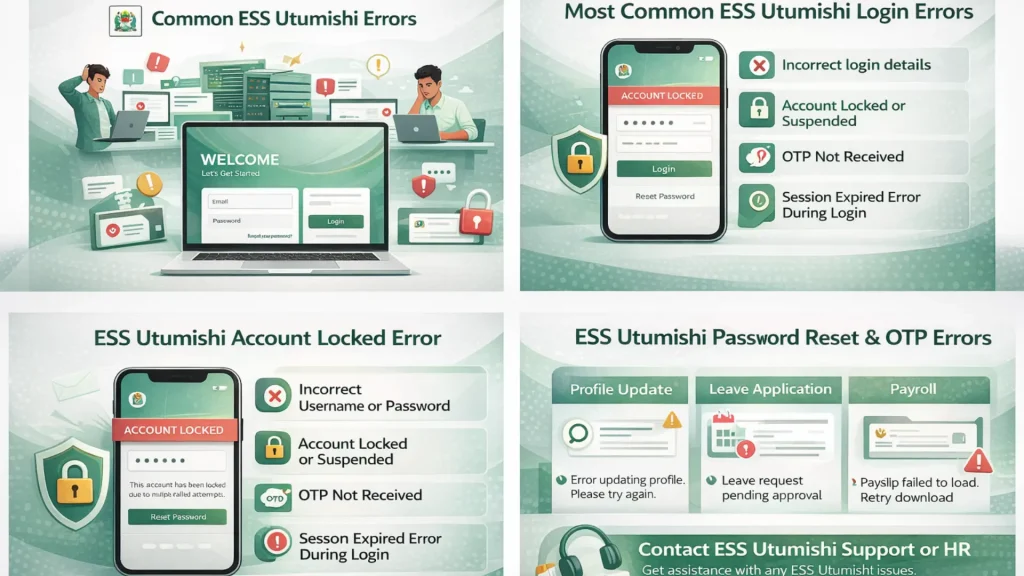
3.OTP Not Received Problem:
This problem can occur due to weak network signals, incorrect mobile numbers or delayed SMS delivery. Sometimes the OTP expires before use. You can fix these issues by checking network strength or requesting a new OTP.
4.Session Expired Error During Login:
This error appears when the login page stays inactive for too long. It can also cause errors when there is slow internet. By refreshing the page and logging in again can solve this issue.
ESS Utumishi Account Locked Error
When a user enters the wrong password several times, an account gets locked. This system does this to protect the account from unauthorized access. If the system detects unusual login activity, the account is also locked. Most account locks are temporary and can last for a few hours. The account may unlock automatically after this. To regain access, the user may need to reset the password.
How to unlock a locked account:
2.ESS Utumishi Account Disabled Error:
An account is usually disabled by the system or HR office. This can happen if employment details are incomplete, the account is not verified. This also happens when there are administrative issues. Sometimes, accounts are disabled during audits or data updates. A disabled account does not unlock automatically. It stays disabled when the HR or ICT department reviews and fixes it.
How to fix these issues:
ESS Utumishi Password Reset Errors and Solutions
1.Password Reset Link not Working:
Sometimes the password reset link does not open or shows an error. This error happens when the link has expired. The link can also fail due to slow internet connection or unsupported browser. By opening the link quickly and using a different browser you can fix this issue.
2.OTP or Verification Code Expired:
The OTP or verification code is valid for a short time only. The code will expire and will not work if you delay entering. It can also cause late delivery, if there is delay in the network. This problem can be solved by requesting a new OTP and entering it as soon as it arrives.
3.Password Rules not Accepted by the System:
ESS Utumishi requires passwords to follow certain rules for security. The system can reject it if the new password is too short or the required characters are missing. Your password must include letters, numbers and special characters. You can create a strong password to solve this problem.
ESS Utumishi OTP Not Received Error
Sometimes, OTP may not arrive because of poor mobile network coverage or temporary SMS service issues. It can also happen when the registered mobile number is incorrect or inactive. The high system traffic can also delay OTP delivery.
How to fix mobile number issue:
First, make sure your phone has a strong network signal. Make sure that the mobile number is registered in ESS Utumishi. When your number is wrong, you can update it through your profile or ask HR to correct it. You can wait a few minutes and request a new OTP if there is a delay. It can cause further delays if you request many OTPs at once. You can contact your HR or ICT office for help if the problem continues.
ESS Utumishi Profile Update Errors
Sometimes, profile changes do not save after clicking the submit button. When there is slow internet or system overload, this error can happen. This problem can be solved by refreshing the page or checking all fields. When you update your phone number, the error may occur if the format is incorrect. For example, if there is missing country code or extra spaces it can cause issues. The system can accept the update if you use a valid and active number or email address. When the entered details do not match official records, the data mismatch errors happen. Make sure all information is correct and match your official documents.
ESS Utumishi Leave Application Errors
1.Leave Request not Submitting:
The leave request does not submit after filling the form. This error happens because the required fields are missing or the internet connection is slow. You can check all the details and try again later to fix this issue.
2.Leave Balance not Showing Correctly:
If the system has not updated, the leave balance may not show correctly. It can also happen because of previous pending leave requests. It can help if you log out and log in again.
3.Approval Status not Updating:
The approval status may stay the same after the leave is reviewed. This error happens when the approver has not completed the action or the system is slow. If you wait for some time or check again later, this error can be fixed.
ESS Utumishi Payroll and Payslip Errors
1.Payslip Not Loading or Downloading:
Sometimes, the payslip page does not open or the file does not download. When there is slow internet, high system traffic or browser issues, this error happens. By using a different browser or trying again later, you can solve this issue.
2.Missing Salary Details:
The salary details may appear missing if the payroll has not been fully processed. The system updates or delays can also cause this issue. If you check after some time, it can show correct information.
3.Wrong Deduction or Allowance Display:
The wrong deductions or allowances may appear due to data entry errors or recent changes not updated in the system. The system needs time to sync new information. If the problem continues, you can contact the HR or payroll office.
ESS Utumishi Browser Compatibility Errors
1.Unsupported Browser Error:
This error can happen when you use a browser that ESS Utumishi does not fully support. The old browsers or less common browsers may show messages that they are not compatible. If you use an updated or supported browser, it can fix these issues.
2.Page not Loading or Blank Screen:
The page may not load properly or appear blank. This error can be caused by browser settings, slow internet or crashed files. By clearing the browser cache or switching to a different browser can solve this problem.
3.Best Browsers for smooth Access:
You can use popular and updated browsers for the best experience. These browsers include Google Chrome, Mozilla Firefox, Microsoft Edge or Safari. These browsers work well with ESS Utumishi and reduce errors while accessing the portal.
ESS Utumishi Mobile Phone Errors
1.Website not Opening on Mobile:
Sometimes, the ESS Utumishi website may not open on a smartphone. This problem can be caused by slow internet, browser issues or temporary server problems. By switching to a stable network or refreshing the page, you can fix this issue.
2.Layout or button not working issues:
Some pages or buttons may not work on mobile devices. When the browser is outdated or the screen size does not display the page, this error happens. You can fix these issues by using an updated browser or zooming in.
3.Best Way to use ESS on a Smartphone:
You can open ESS Utumishi in a modern browser for smooth use. These browsers include Chrome or Firefox. Your phone must have a strong internet connection. To keep the browser updated for the best experience, you can avoid old devices.
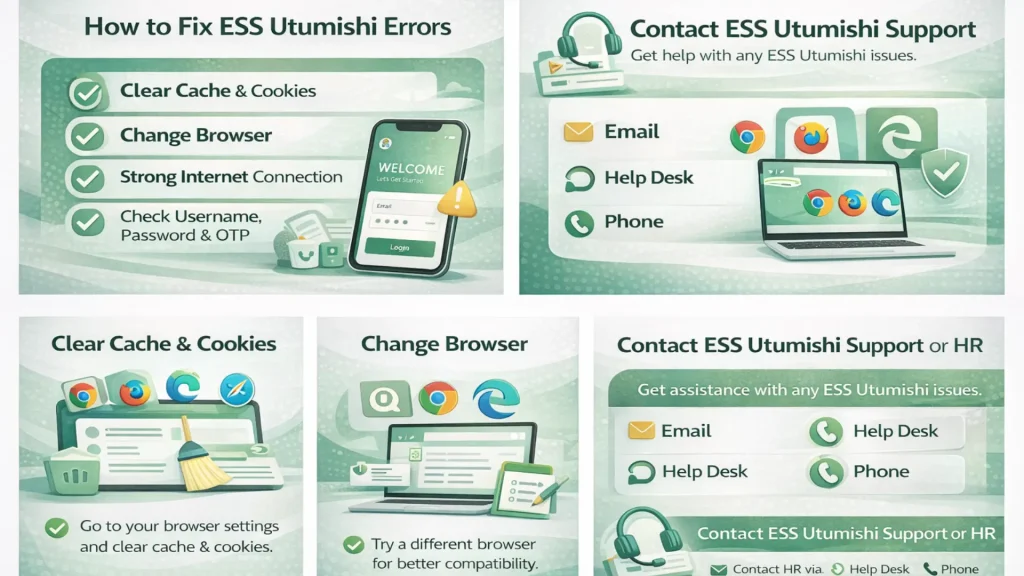
How to Fix ESS Utumishi Errors Quickly
When to Contact ESS Utumishi Support or HR
If you have tried to solve the errors, but the problem still persists. It is time to contact ESS Utumishi support or your HR Office. Some problems need official assistance. These problems include permanently disabled accounts, incorrect payroll details or system side errors. Before contacting, make sure you have your employee number, registered mobile number and details of the problem. It can help to note any error message you received.
It also helps to note the steps you already tried to fix these issues. You can contact ESS Utumishi support through the official email, help desk portal or phone number provided by your HR department. The response time may vary but some issues are resolved within a few working days. It also depends on the nature of the problem.
Conclusion
ESS Utumishi errors are common but most of them can be fixed easily. You can fix them easily by following simple steps. The common problems include login issues, OTP delays, account locks, profile update errors and payslip or leave application problems. The solutions involve checking login details, using the correct browser or device, clearing the cache, updating personal information or contacting HR when needed. The users should not worry when these errors occur. By following the right steps, these issues can be resolved quickly.
You can seek support by remembering your employee number, registered mobile number and any error messages. Always use an updated browser for smooth ESS Utumishi usage. You should maintain a strong Internet connection, keep your profile details correct and follow system instructions carefully. These small practices can prevent most common errors.
Frequently Asked Questions
1.Why does ESS Utumishi show errors frequently?
ESS Utumishi can show errors because many users access it at the same time, especially during peak hours. Other reasons include wrong login details, slow Internet, outdated browsers or temporary system maintenance.
2.How long does it take to fix an account issue?
The time to fix an account issue depends on the type of problem. Simple problems like a locked account or forgotten password can be resolved in a few minutes. More complex issues may take a few working days after contracting HR or Support.
3.Can I access ESS Utumishi outside office hours?
The ESS Utumishi is an online system and can be accessed anytime. Some services may be slow during peak hours or unavailable during system maintenance. It is best to check the portal regularly and plan important actions when the system is running smoothly.