
ESS Utumishi Payslip Download: How to Access, View & Download Your Salary Slip Online
ESS Utumishi is an online system which is used by government employees in Tanzania. It helps workers to access important job information without visiting the HR Office. One of the useful features is the ability to download your monthly payslip. Payslip access is important because it shows your salary details, deductions and allowances. The employees need their payslip to keep records, apply for loans and confirm their earnings.
With ESS Utumishi, getting your payslip becomes simple and fast. The government employees often need their payslip for loan applications, rental agreements, school fees and personal record keeping. They can download their payslip anytime, anywhere with their phone or computers. This system makes the whole salary process more transparent and secure.
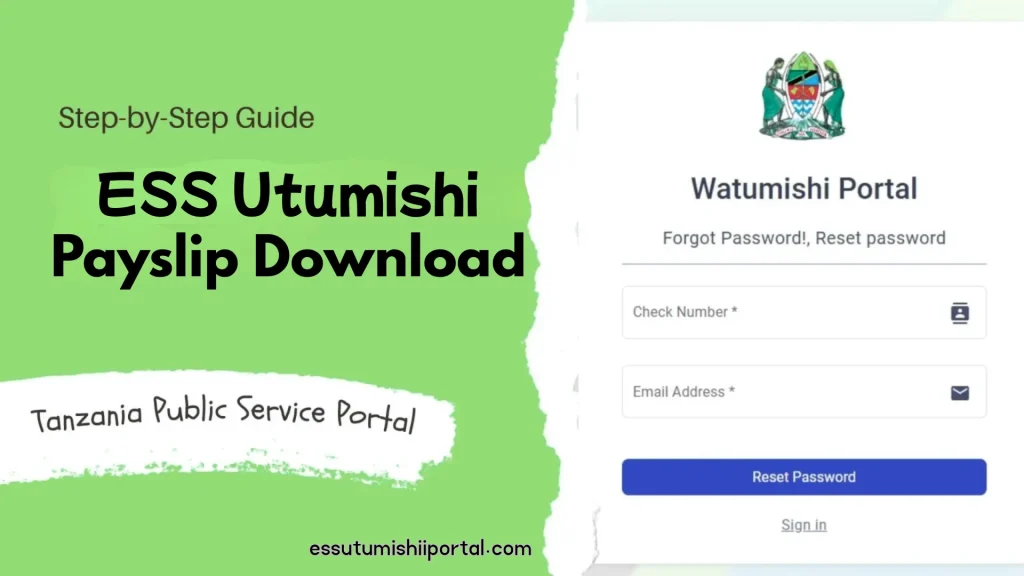
What Is an ESS Utumishi Payslip?
An ESS Utumishi payslip is a digital salary document. The government employees can download from the ESS Utumishi portal. It shows all the details of your monthly earnings in a simple and organized way. The main purpose of the payslip is to help employees to understand how their salary is calculated and what deductions or allowances are included. A government payslip usually includes important information like basic salary, allowances, overtime, deductions, tax details, loan repayment and final take home pay.
It also shows your name, employee number, job title and payment period. This payslip helps you to keep a clear financial record and makes it easy to apply for loans, check your salary accuracy and manage your personal budget.
Benefits of Downloading Payslip Through ESS Utumishi
1.Fast and Easy Access:
The process of downloading the payslip through ESS Utumishi is very quick. You don’t have to wait for HR to print or send it. You can get your payslip within seconds by logging in. It saves time especially during busy months. You can also check your salary details more easily.
2.No Need to Visit the HR Office:
With ESS Utumishi, there is no need to visit the HR department to collect their payslips. In this way they can reduce long queues and unnecessary trips. You can download your payslip from your home, office or even when travelling. It makes the whole process more convenient. In this way, the workload of the HR staff can be reduced.
3.Secure and Available Anytime:
This portal keeps your payslips safe and protected. Only you can log in and view your salary information. You can download your payslip anytime because it is available 24/7. Your payslip remains safe online even if you lose your phone or documents. In this way, you can get peace of mind and better record keeping.
4.Helpful for Loan Applications:
Many banks and financial institutions ask for a recent payslip when you apply for a loan. With ESS Utumishi, you can download it instantly and submit it anytime. This makes the loan processing fast and smooth. You don’t have to wait for paper copies. It also helps you to keep a clean financial history for future applications.
5.Useful for Tax Filing and Salary Verification:
A payslip contains important information like tax deduction and total earnings. This is very useful during tax filing season. You can easily check your tax amount from each month. The payslip also helps to verify your salary when needed for official purposes. It keeps your financial documents neat and organized.
6.Easy Access to Old Payslips:
With ESS Utumishi you can download payslips from previous months or even previous years. This is helpful when you need old salary records for audits, personal budgeting or proof of income. You don’t have to request old documents from HR. Everything is stored online and ready for you.
ESS Utumishi Login Requirements
1.Active ESS Utumishi Account:
To use the portal, you must have an active account created by your employer. With this account you can access your salary details and other services. If your account is not activated, you won’t be able to log in. Make sure your HR department has registered you properly. When your account is active, you can use the payslip section anytime.
2.Username and Password:
You can also need your correct username and password to log in to ESS Utumishi. These details are given when your account is created. Always enter them carefully to avoid login errors. Keep your login information written in a safe place. You can reset it through the portal if you forget your password.
3.NIDA Number or Personal Verification Details:
For verification, sometimes the system asks for your NIDA number or personal details. With this step your identity and account is protected from misuse. Your information must match your official records. It helps the system to update your profile correctly. It can make the process easy if you keep your NIDA details organized.
4.Stable Internet Connection:
A good Internet connection is important when using the ESS Utumishi portal. The slow or weak Internet may make the page load slowly or show errors. A stable connection helps you to download your payslip smoothly. Your mobile data or Wifi must be working properly. It can save time and prevent frustration.
5.Working Device:
You can use ESS Utumishi on any device like smartphone, laptop or desktop computer. The device should be in good working condition. It also has enough storage to download PDFs. It can make the navigation easy if you use a large screen. Make sure your device is updated and runs without freezing. This helps you to access the portal without issues.
6.Updated Web Browser for Smooth Login:
A modern and updated browser helps the portal to run better. The browsers like Chrome, Firefox or Safari work best. The old browsers may not open the portal correctly or may show errors. When you keep the browser updated it can improve the speed and security. It also makes your login experience smooth and safe.
7.Secure Place to Save Your Login Details:
Keeping your username and password in a safe place is very important. In this way you can’t forget it in future. It is good to not share your login details if you want to protect your salary information. You can save your details in a notebook or a trusted password manager. In this way, your details are secure and can prevent unauthorized access.
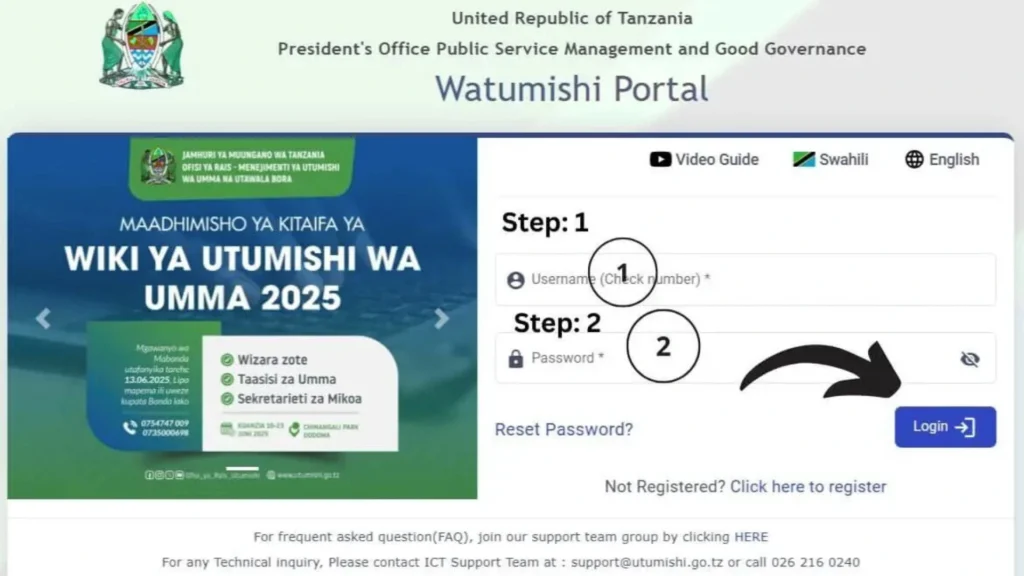
How to Access the ESS Utumishi Portal
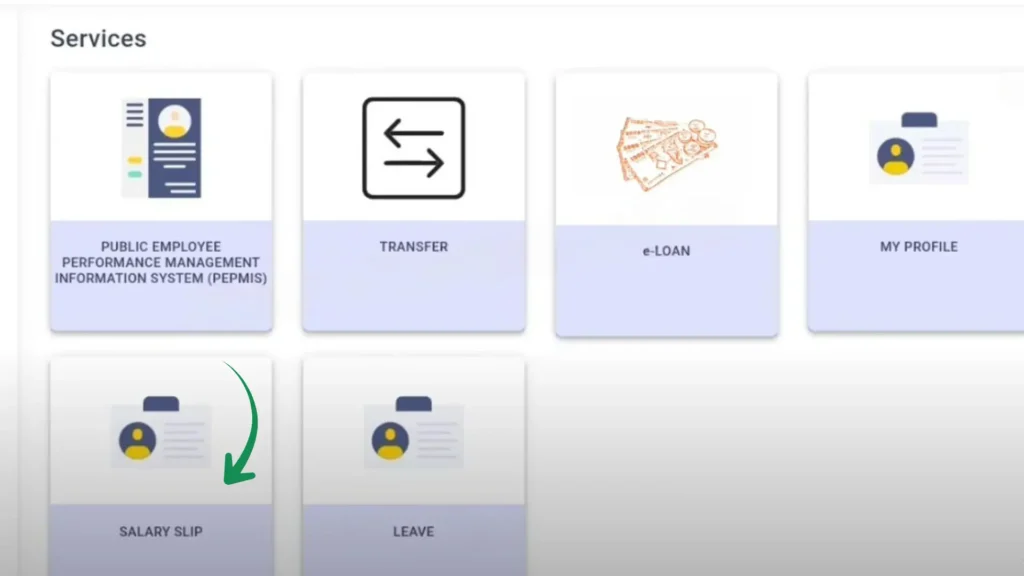
How to Download ESS Utumishi Payslip (Step-by-Step)
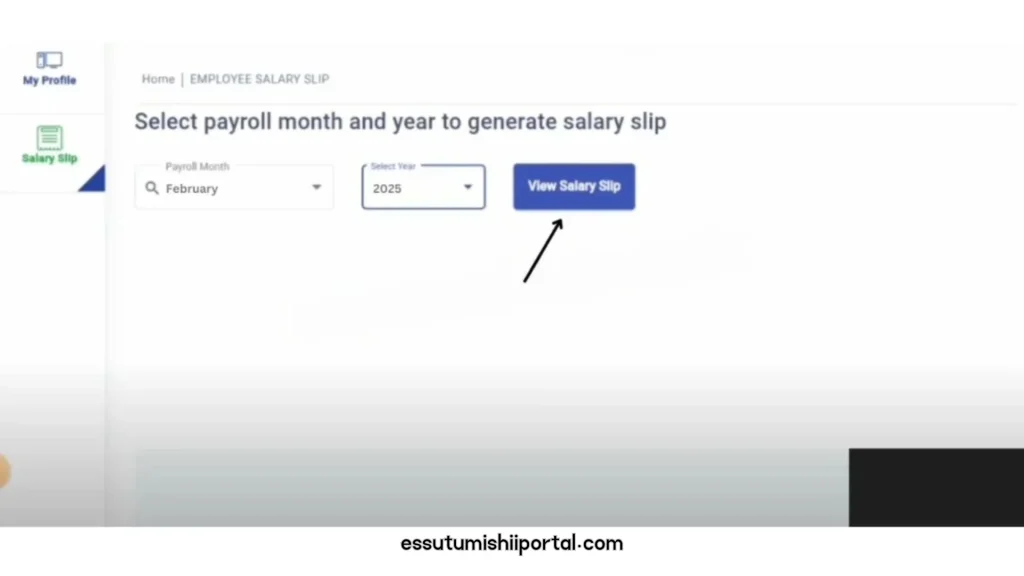
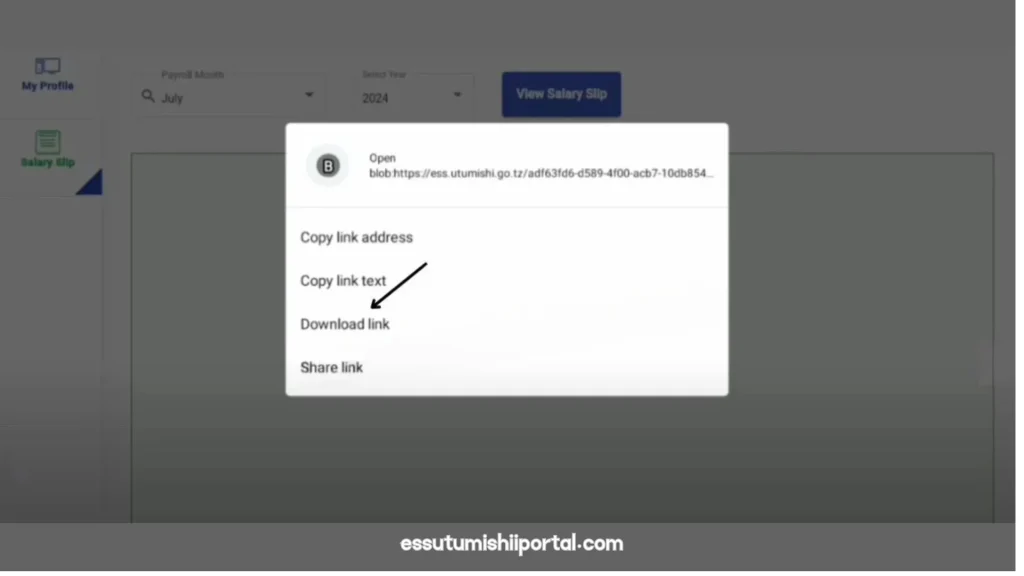
How to Download Old Payslips?
How to Check Your Salary Breakdown in the Payslip
1.Basic Salary:
The basic salary is the main part of your pay before anything added or subtracted. It shows what your employer agrees to pay you every month. This amount does not include extra benefits or deductions. By knowing your basic salary you can understand how your total pay is calculated. It is the foundation of your earnings.
2.Allowances:
The allowances are extra payments which are added to your basic salary. Some common types include house allowance, transport allowance or risk allowance. These increase your total monthly earnings. By checking your allowance you can get benefits which are included. It also helps you to plan your monthly expenses better.
3.Deductions:
Deductions are the amount which can be taken out of your salary. These include taxes, loans, pensions or other official reasons. They reduce your total pay before it reaches your bank account. It is important to review deductions to make sure nothing is deducted incorrectly. If you understand deduction it helps you to avoid surprises in your net salary.
4.Net Pay:
Net pay is the final amount you receive after adding allowances and subtracting deductions. This is the money that actually goes into your bank account. It is good to check your net pay to confirm your salary. This amount can be used for personal expenses, bills or savings.
Common Problems and Solutions
1.Login Errors:
Sometimes the portal may not let you log in. When your website is slow or your details are incorrect.
2.Incorrect Password:
You can access your account if you type the wrong password.
3.Payslip Not Loading:
Sometimes your payslip may not appear due to slow Internet or portal issues.
4.Portal Downtime:
The ESS Utumishi portal may occasionally be down for maintenance.
5.Missing Payslip Issue:
A payslip might not show up for a particular month.
How to Reset Your ESS Utumishi Password
How to Download Payslip on Phone
Security Tips for Protecting Your Payslip
Conclusion
The ESS Utumishi Payslip system makes it easy for employees to check and download their salary information anytime. It saves time because you don’t need to visit the office or wait for printed slips. You can view your payslip in just a few steps if you log in with correct details. The system is safe to use. The employees can keep their salary records organized. You can download them anytime for loans, personal records or verification. It works on both computers and phones. With all these benefits, ESS Utumishi makes the salary management easy and fast.It is important to protect your account with a strong password. In short, ESS Utumishi is a helpful and fast way for employees to manage their salary records online.
Frequently Asked Questions
1.Is the Portal Free?
Yes the portal is completely free to use. You don’t have to pay any fee to check your payslip or other details.
2.Can I change my personal information?
You can update your personal information from the profile section. If something cannot be edited, you may need to contact your HR Office.
3.Is the data safe?
The portal uses a secure system to protect your information. Your data stays private as long as you keep your password safe.
4.How to Reset Password?
You can reset your password by clicking “Forget Password ” on the login page. Follow the steps and enter your phone number or email to get a reset link.
5.Who can ESS Utumishi?
The portal is made for government employees to view their salary and work details. Only registered users with valid login details can access it.