
ESS Utumishi Forget Password Guide 2026: How to Reset Your Account Step-by-Step
These days work online has become very important. The Tanzanian government employees are also using digital tools. The ESS Utumishi portal helps the public servants to make their work more efficient. In 2026, resetting your ESS Utumishi password is more important. Because the portal holds your personal job information, salary details and other sensitive data. Every employee needs secure login access to keep the information safe. Many users still forget their passwords because they don’t use the portal every day.
Sometimes they create a password which is too hard to remember. Some users also face email problems, which makes it more difficult to log in when needed. In this article I will explain each step clearly so government employees can recover their accounts easily. In this way you can keep your information secure and use the portal without stress.
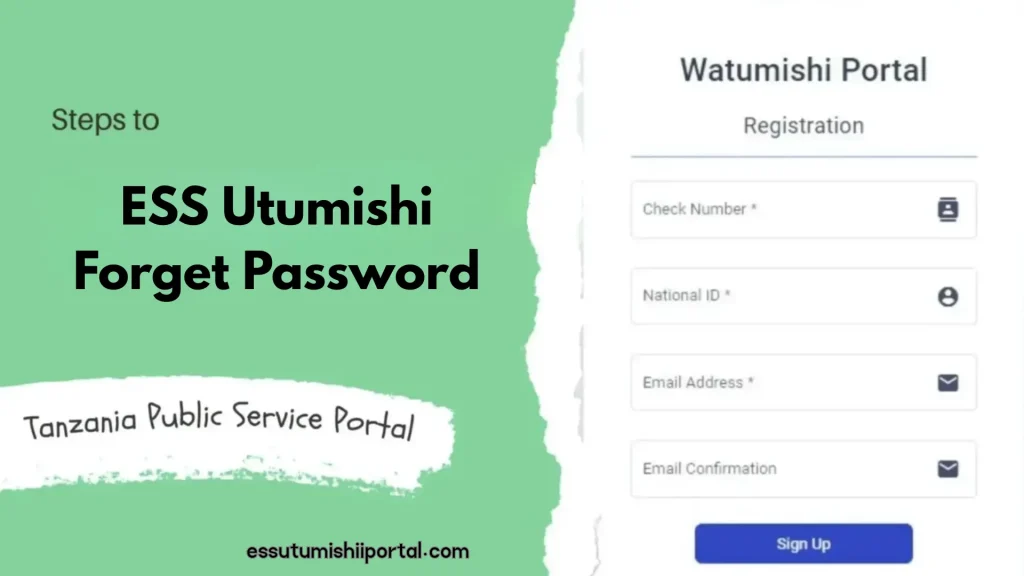
What Is the ESS Utumishi Portal?
The ESS Utumishi portal is an online platform which is created by the Government of Tanzania to help government employees. Instead of visiting offices, the employees can log in and check their salary slips. They can also update their personal details and view job information. The main purpose is to make government services fast and easy.
The login credentials like email, check number and password are very important. Because they protect your account. Without correct login credentials, you cannot use the services on the portal. This is why keeping your password safe and resetting it is very essential.
Common Reasons Employees Forget ESS Utumishi Passwords
1.Infrequent Login Habits
Many employees do not use the ESS Utumishi portal every day. Some users log in to the portal after several months. When they need a salary slip or want to apply for leave, they log in. Because of this long gap, the users forget their exact password they created. When something is not used regularly, our mind naturally forgets it over time.
2.Using Weak or Repeated Password:
Some people create simple or repeated passwords that they use on other websites. This can lead to security problems and sometimes the system forces the users to change the password often. When users create many new passwords quickly, they forget which one is the correct one. Weak passwords are also easy to mix up or forget. Because they have no special meaning for the user.
3.Email Access Problem:
It happens when you lose access to the email that was used during registration. When you forget your email password or change your email address you cannot receive the reset link from the portal. It also happens when your email gets hacked. This makes logging difficult even if you remember your ESS Utumishi details. Without email access, account recovery becomes challenging.
4.Technical Errors on the Portal:
Sometimes the ESS Utumishi system may have temporary technical issues. The portal may fail to load, show login errors or not send the password reset email on time. These problems can confuse users and they may think their password is wrong. Such errors can make employees try multiple passwords. It can cause more confusion and can forget login details.
5.Creating Complicated Passwords:
Many users create a long or complicated password. They use many symbols, numbers and capital letters.These passwords are strong but you can easily forget them. If the password is complicated the users may easily forget it. This happens when people try to follow security rules but do not use a password they can recall later.
Common Reasons Employees Forget ESS Utumishi Passwords
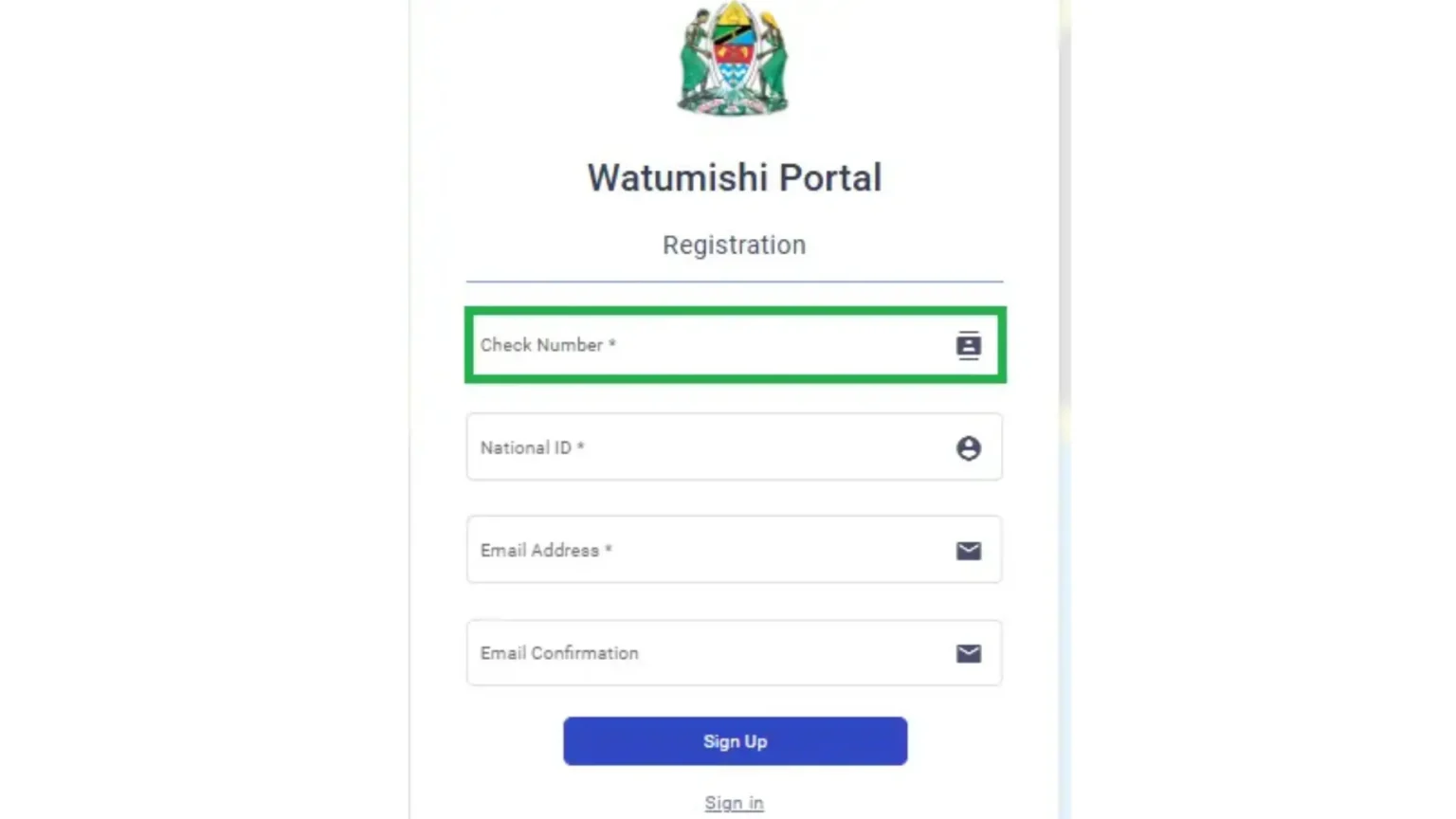
1.Registered Check Number:
Before starting the reset process, you have your registered check number. This number can verify users identity and confirm that you are an official government employee. The system cannot match your account without the correct check number. In this way you will not be able to continue with the reset steps.
2.Valid Email Address:
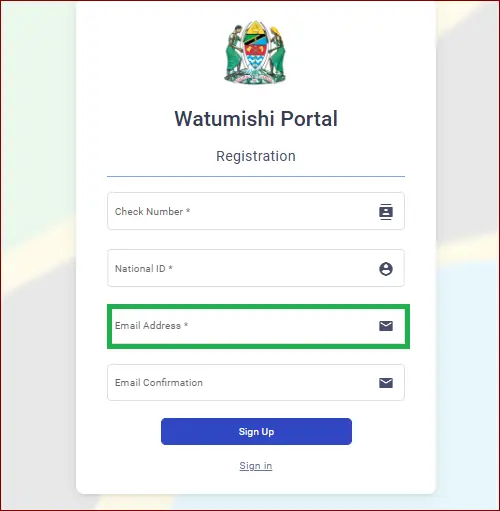
You also need access to the email address you have used while creating your ESS Utumishi account. This reset link and password are always sent to this email. The system cannot send you the information if you cannot open this email. So, it is important to log in to your email before starting the process.
3.Personal Identification Details:
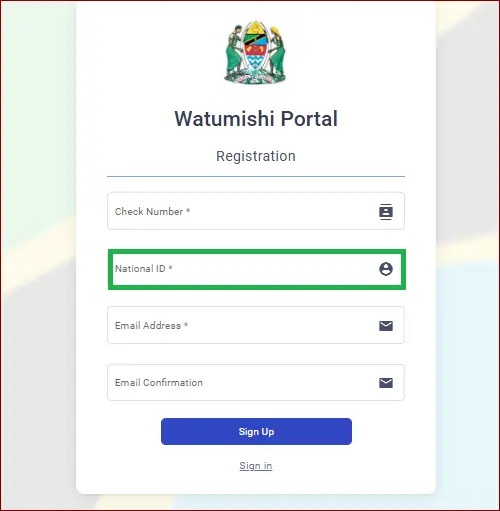
In some cases, the support may also ask for additional personal details. These details show that you are the real owner of the account. This information includes your full name, department, workplace or phone number. With these details, the support team verifies your identity safely. In this way unauthorized people cannot get access to your account. By providing accurate information, the reset process becomes smooth.
4.Contact Support for Verification:
If you have lost your email access or forget your check number, the system does not recognize your details. In this situation you should contact the ESS Utumishi support team. They verify your identity and guide you about the process. This is helpful when the system shows errors or you cannot reset your password.
Step-by-Step Guide: How to Reset ESS Utumishi Password in 2026
1.Visit the Official ESS Utumishi Portal:
To begin the reset process, open your browser and go to the official ESS Utumishi website. Make sure the website address is correct and avoid fake or unsafe pages. The portal homepage will show the login section clearly. This is where you will start the password recovery steps.
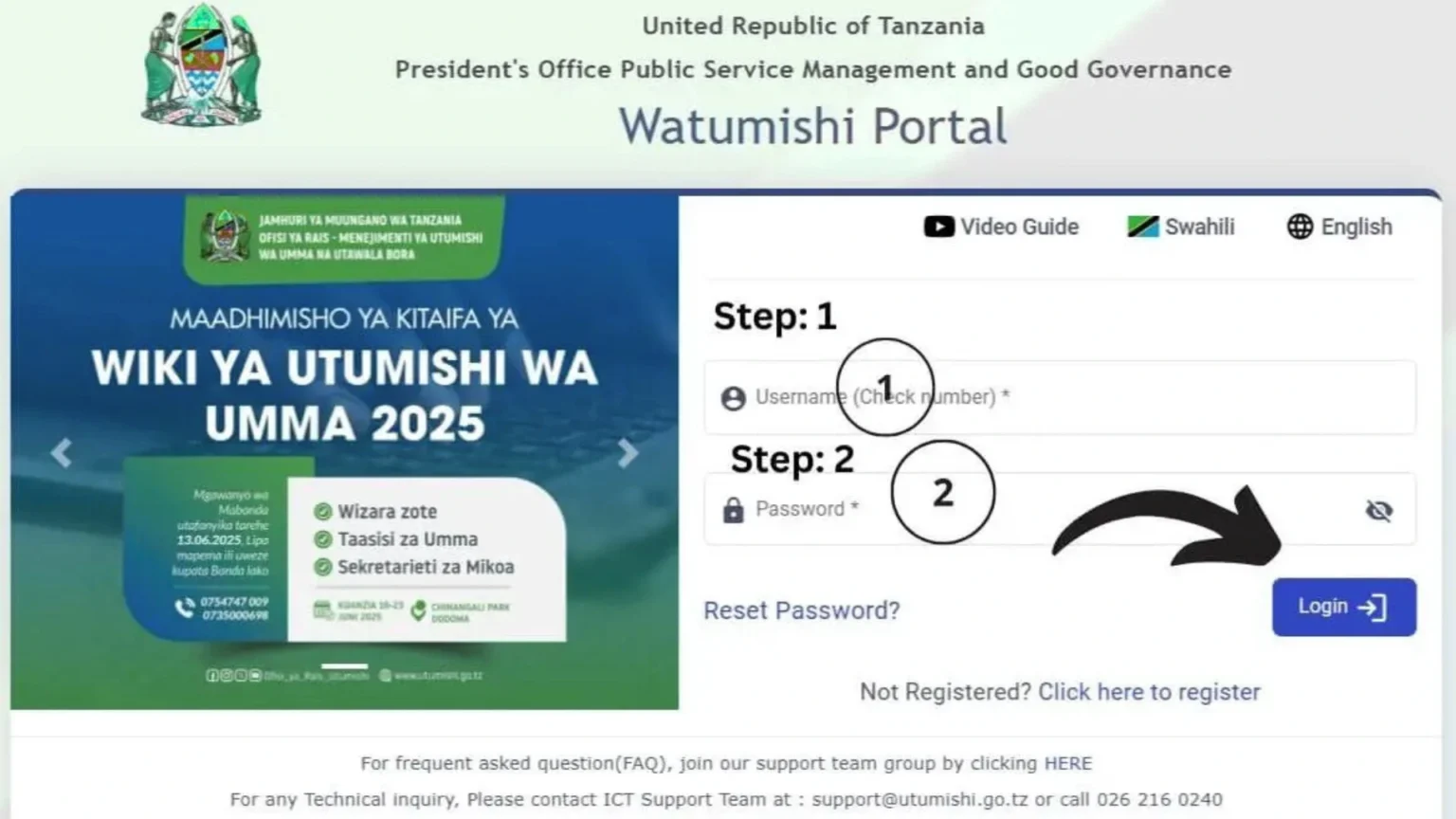
2.Click on the “Reset Password ” Option:
You will find a small link below the login boxes, it is “Reset Password”. Click on this option if you forget your password. It is designed for the users who are locked out of their accounts. After clicking on it, you can enter your details here.
3.Enter Your Check Number and Email Address:
On the reset page, type your registered check number and the email address linked to your account. These two details help the system to confirm your identity and match your account. Your spelling must be correct because one wrong number or letter can cause errors. After entering the details you can continue to the next page.
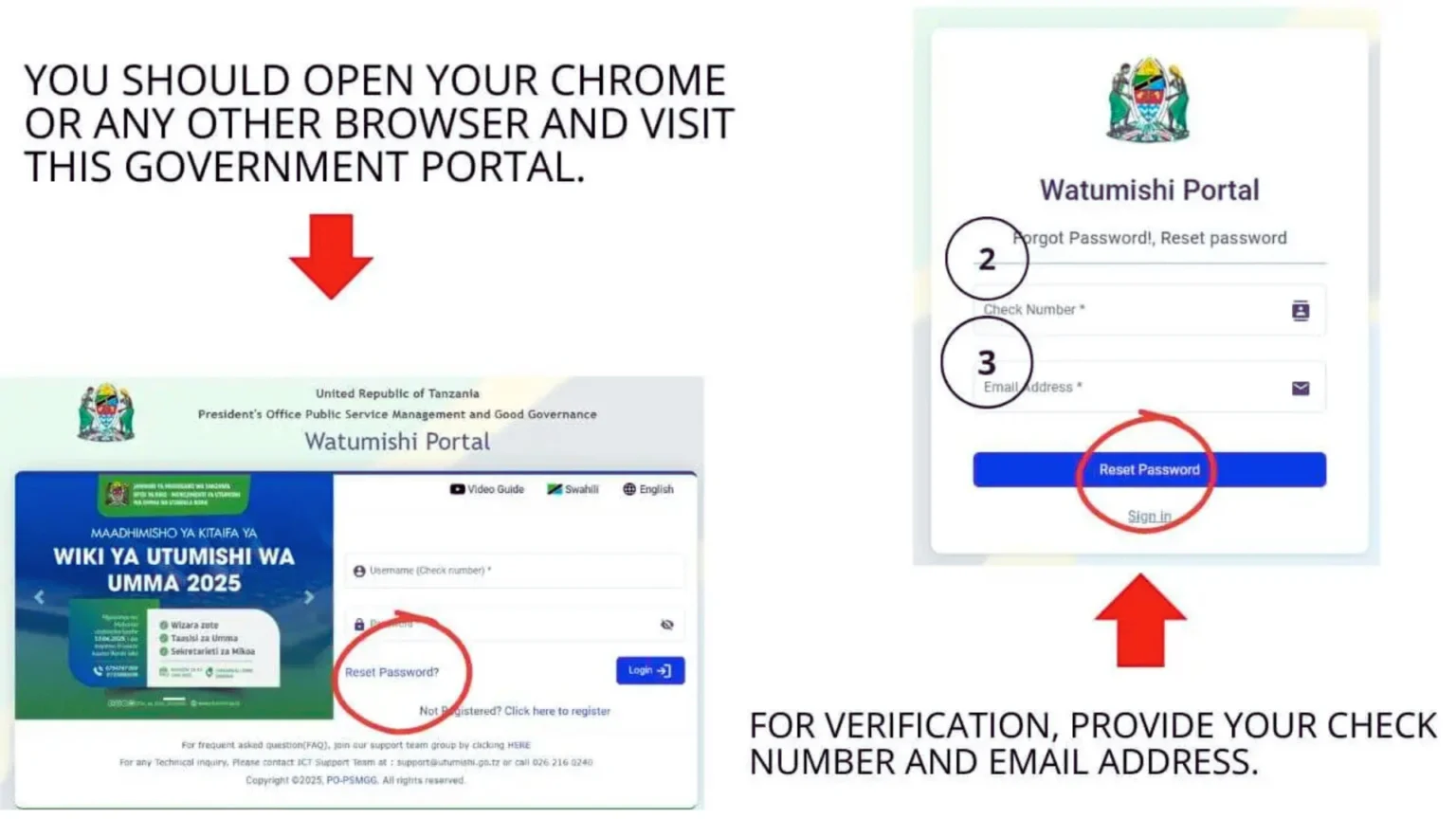
4.Submit your Request for a Reset Link:
To submit your request, click on the button after filling your details. After checking your information, the system prepares a password reset email for you. According to your portal’s traffic it may take a few seconds. The email will be sent to your registered inbox if your details are correct.
5.Open the Password Reset Email:
When you receive a message, open your inbox to look for a message. If you can’t find the message, check your spam or junk folder. In your email, there is a temporary new password or link. Follow the instructions carefully to move to the next step.
6.Login Using Your New Reset Password:
When you have your new password, go back to the ESS Utumishi login page. It is necessary to enter your email and password correctly. If everything is correct, you will be able to log in successfully. You can also regain access to your portal account.
7.Create a Strong New Password Immediately:
It is good to change the temporary password after logging in. you can create a password from your account settings. It is secure and easy for you. If you use a strong password it can keep your information safe and you can prevent future login problems.
Resetting Password Through the ESS Utumishi Mobile App
How to download the ESS Utumishi Go Tz App:
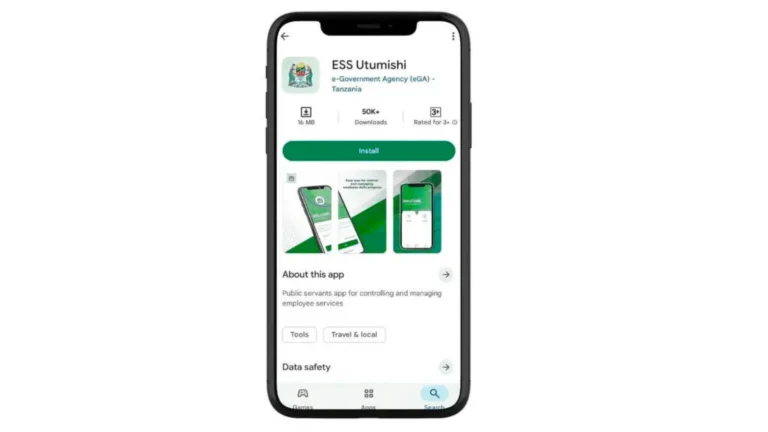
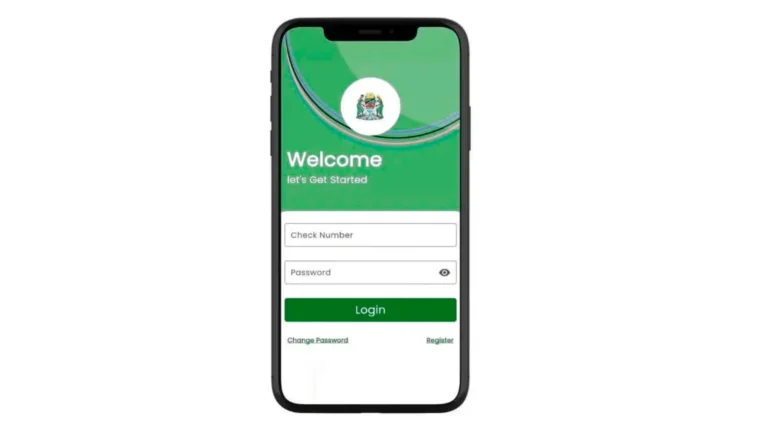
Steps to Reset Password on Mobile:
How to Keep Your ESS Utumishi Account Safe from Hackers
1.Enable Email Security Features:
Your email for ESS Utumishi must be protected so use a strong password and turn on two factor authentication. To keep your account safe from unusual activity, check your account regularly. In this way hackers cannot access your account through your email.
2.Avoid Using Public WiFi for Login:
The public WiFi networks in cafes, airports or hotels are unsecured. So, it is good to never log in your ESS Utumishi account in public. The hackers can steal your login information from public networks. The private and secure Internet connection keeps your account secure and safe.
3.Watch for Fake or Scam Websites:
Some fake Utumishi Websites look real but they are fake and unsecure. The official website or official mobile app are secure to reset your password. It is good to check the website address carefully. In this way your personal and work information stay safe from hackers.
4.Regularly Update Your Password:
When you use the same password for a long time,the hackers can access your account easily. You can keep your account safe from hackers by regularly updating the password. So, it is good to update your password regularly to stay safe and secure.
What to Do If You Lose Access to Your Registered Email?
If you lose access to the email which is linked to your ESS Utumishi account. The first step is to recover the email by using the “Forget password” option. It was provided by your email service. You can follow the recovery instructions until you get your email back. If you cannot recover it, you should contact the ESS Utumishi support team for help. They will ask for details like your check number or other personal information. When they confirm you are the real owner, they will guide you how to update your email or restore access. Email recovery is usually fast and takes only a few minutes. If you verify through ESS Utumishi support, it may take some time. In some cases, it may take a few hours or 1_2 days. By providing correct information helps you to speed up the process.
Expert Tips to Avoid Password Problems in the Future
Some Common Errors with their Troubleshooting
1.Incorrect Email Address:
Sometimes you may not receive the reset email because you have entered the wrong email address.
2.Email in Spam/Junk Folder:
The reset email may go to your junk folder by mistake.
3.System Delay or Server Overload:
The ESS Utumishi system may be slow at busy times. This can delay the reset email for a few minutes or even long.
4.Your Email has been Hacked or Disabled:
You may not receive any messages if your email was hacked or blocked.
5.Blocked by Email Provider:
Sometimes your email provider may block the reset message because it thinks it is unsafe.
Additional Account Recovery Options for ESS Utumishi Users
1.Resetting Username:
When you forget your username, you can request a username recovery through the ESS Utumishi portal. You will need your check number and registration email. The system will send your username to your email when you enter the required details.
2.Checking Account Status:
When your account is inactive or temporarily blocked, the login problem happens. You can check your account status by contacting ESS Utumishi support. They will confirm your account is active and help you to fix any issue.
3.Re activating an Old Account:
If you have not used your ESS Utumishi account for a long time, it may become inactive. In this case you can request re activation. You will need to provide your check number and personal details for verification. The support staff will help you to restore access to your account.
Conclusion
The ESS Utumishi portal is an important tool that helps government employees to access their work information. They can access their work easily. By resetting the password, your account will be secure and safe. If you have a smooth access to your account, you have to know how to recover your login details. There are clear steps and support available if you face some issues. These issues are forgotten password or email problems. Overall, by staying informed and taking security measures, you can get access to the ESS Utumishi portal smoothly.
Frequently Asked Question
What should I do if I forget my ESS Utumishi password?
If you forget your password, go to the portal or app and click “Reset password”. Enter your registered check number and email to get a reset link or temporary password.
Why am I not receiving the password reset email?
This can happen if you entered the wrong email, the email went to your spam folder or your email is blocked or hacked. Check carefully and try again later.
Can I reset my password on my phone?
You can reset your password by using the ESS Utumishi Go Tz App. The steps are simple: tap Reset Password and enter your check number and email.
How long does it take to reset my password?
If your email works properly, you can get a reset link in a few minutes. If you need help from support, it can take a few hours for verification.
What should I do if I lose access to my registered email?
Try to recover your email using your email provider’s recovery options. If the problem continues, contact the ESS Utumishi support.