
How to Unlock ESS Utumishi Account: Step-by-Step Guide for Tanzania Government Employees
The ESS Utumishi system is a very important online platform for government employees in Tanzania. It helps the workers to check their salary slips, leave balance, personal details, performance reports, training records and other HR updates in one place. This system stores sensitive information and uses strong security. Due to this many employees sometimes find their ESS account locked. This usually happens when you urgently need to download a payslip, apply for leave, check attendance or update your personal details.
In this article I will explain clearly why ESS accounts get locked and how you can unlock them step by step. I will also explain what to try before contacting HR or ICT support, how to avoid getting locked again in future and what to do if help is not available right away.
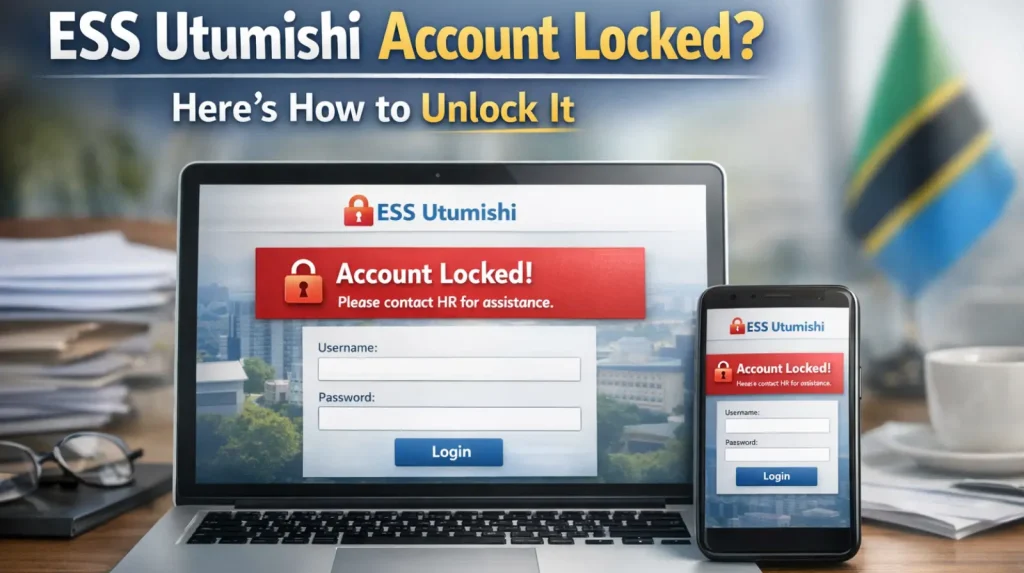
What Does “Account Locked” Mean in ESS Utumishi?
The ESS system has temporarily blocked your access when you see some messages. These include “Account Locked”, “User Suspended” or “Too Many Attempts”. It happens to protect your account and personal information. The system can do this for security reasons when it detects unusual login activity.
Why the ESS System Locks your Account:
ESS locks accounts to keep your information safe. This includes:
With this security you can prevent unauthorized access or misuse of your data.
When your account is locked, it is not permanent. It only means the system is checking and protecting your identity. After verification, your account can be unlocked easily by HR or ICT support. There are some signs from which you will know that your account is locked. These include:
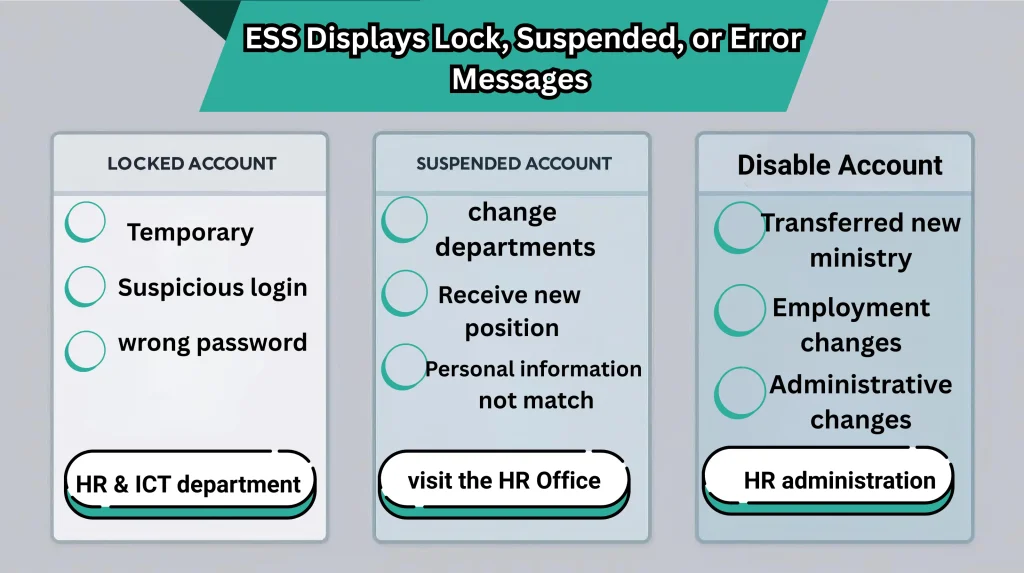
Why does ESS Displays Lock, Suspended, or Error Messages?
Many users think that these problems are the same.They are actually different, there are different reasons and have their own solution.
1.Locked Account:
A locked account is temporary and very common. When you enter the wrong password several times, this error occurs. When the system detects unusual or suspicious login activity it also displays this error. For example, if you log in from a new device or location, it can cause problems. To protect your personal and salary information from unauthorized access, the system locks the account. This error doesn’t mean there is a serious problem with your account.
2.Suspended Account:
With a suspended account, your account is temporarily put on hold. This happens when your details are being checked or updated. It can also happen when you change departments or receive a new position. When the HR is correcting or updating your records, it will also happen. It may also happen if some of your personal information does not match the system records. During suspension, you will not be able to access ESS service until verification is completed.
3.Disabled Account:
A disabled account is more serious and usually happens due to administrative or employment changes. This can occur if you are transferred to a new ministry and your records are not on time, if your employment status changes. It can require official review before access can be restored.
Common Reasons Why ESS Accounts Get Locked
There are many common reasons behind your blocked account. These problems are simple and can be fixed easily.
1.Too many Wrong Password Attempts:
This is the most common reason for account lock. The system automatically locks your account, if you enter the wrong password many times. The system locks your account to stop unauthorized access.
2.Password Expired or Not Updated:
The passwords must be changed after some time. If you use an old or expired password, the system may restrict your access and lock the account.
3.Incorrect Username Format:
Small typing mistakes can also cause problems. Your account may get locked if you:
4.Suspicious Login Activity:
The system can lock your account if there is any unusual activity. This can happen if you log in from different locations, use public Wifi or try to log in from an unknown device. All these actions are very risky and can lead to account blocking.
5.Changes in Employment Records:
If HR updates your profile, transfers you to another department, or changes your job details, your account may be temporarily restricted until the updates are completed.
6.System Maintenance:
Sometimes the ESS system goes under maintenance or technical updates. Some accounts appear locked or suspended until the system is fully updated.
7.Inactive Account:
The system may require verification before access, if you have not used your ESS account for a long time. This can be done to make sure that your account is active and secure.
How to Unlock Your ESS Utumishi Account?
These are some official steps to unlock your ESS account safely.
1.Contact Your HR Office:
Your HR Office is the first place you should contact when your ESS account is blocked. HR manages all employee records and has the authority to unlock accounts. The HR department will do these things to solve your problem:
The HR may ask for some information like:
After verifying your details, HR can unlock your account, often on the same day.
2.Contact the ICT Department:
If the issue is technical, HR may refer you to the ICT department for further help.
The ICT may request information like:
ICT support is important when the ESS system has technical problems.
3.Reset Your Password After Unlocking:
When your account is unlocked, you will receive a temporary password.
How to Reset your ESS password:
How Long Does Unlocking an ESS Account Take?
The time it takes to unlock your ESS account depends on some reasons. These reasons include:
1.HR Unlocking:
If your account is locked due to login issues or security alerts, HR can usually unlock it the same day often within a few minutes or a few hours.
2.ICT Unlocking:
The ICT may take 10 minutes to 24 hours if the problem is technical. It also depends on how busy the system is.
3.Auto Unlock(security Timeout):
When your account was locked because of multiple wrong password attempts, it may unlock after 10 to 30minutes automatically.
4.Suspended or Disabled Accounts:
If your account is suspended or disabled due to HR updates or administrative changes, it may take 1_3 days while verification is completed.
Troubleshooting Before Contacting HR or ICT
Sometimes your ESS account may look locked when it is not. Before contacting HR or ICT, try these steps:
1.Clear Browser Cache and Cookie:
Old cache or stored files can block login. If you clear them it solves the problem instantly.
2.Try a Different Browser:
Use a modern browser like:
Older browsers may not work properly with ESS.
3.Try a Different Device:
Switch from your phone to a computer, or from computer to your phone.
4.Switch Internet Connection:
Try using a different network if possible. Weak or public networks may show login errors.
5.Check Username and Password Carefully:
Small typing mistakes are one of the most common reasons accounts appear locked.
6.Restart Your Phone or Computer:
Restarting your device can fix temporary login issues.
7.Wait 10_20 Minutes and Try Again:
If your account was locked due to multiple wrong attempts, the system may auto reset after a short time.
Additional Unlocking Tips Mobile vs Desktop
| Device Type | What You Should Do | Why it Helps |
| Mobile Phone | Update your mobile browser | New updates fix bugs and improve compatibility with ESS |
| Mobile Phone | Clear mobile browser data and history | Removes old files that can block login |
| Mobile Phone | Switch from mobile data to Wifi | Fixes network related login errors |
| Mobile Phone | Make sure the page fully loads | Incomplete loading can stop from working |
| Desktop / Laptop | Disable VPN or proxy temporarily | VPNs can trigger security blocks |
| Desktop / Laptop | Try incognito or private mode | Avoids issues caused by saved cache or cookies |
| Desktop / Laptop | Check browser extension | Some extensions blocks ESS scripts |
| Desktop / Laptop | Restart the computer | Clears temporary system conflicts |
What NOT to Do When Your Account Is Locked
Some actions can make the problem bigger if your ESS account is locked. Many users can make mistakes which can cause many problems like delays or account suspension.
What to Do If You Cannot Reach HR or ICT Immediately
If you are working after office hours or travelling, you can follow these options:
1.Try logging in on another device:
Sometimes the problem is in your device. If you switch from a phone to a computer, you can solve this problem.
2.Send an email request to HR or ICT:
By sending a clear and complete email can help you to get fast support. Use can use this format to send an email request:
3.Contact your Supervisor:
The supervisors can help you and you can report the issue to HR or ICT. This issue can be resolved fast.
4.Ask a colleague for help:
If you are working in the field or away from the office, a colleague may help you to contact HR on your behalf.
5.Check Official System notices:
Sometimes the ESS system is under maintenance. By checking Official announcements can save time.
Conclusion
It is very easy to unlock your ESS Utumishi account. You can easily unlock your account, if you follow the right steps. Many accounts get locked due to many reasons. These include wrong login attempts, old passwords or simple security issues. You can get your access back quickly by contacting HR. You can contact ICT for resetting your password. You should follow basic safety tips and get your access back quickly. In this way you can avoid future problems. ESS is an important system for checking salary, leave, personal details and performance records. You can keep your account active and secure.
Frequently Asked Questions
1.Why does my ESS Utumishi account get locked?
Your account usually gets locked because of too many wrong password attempts, using an old password or logging in from a suspicious device or network.
2.Can my ESS account unlock itself automatically?
Yes, if your account was locked due to many wrong login attempts, it may unlock automatically after 10 to 30 minutes.
3.Who can unlock my ESS Utumishi account?
Your HR Office is the main authority to unlock your account. If the issue is technical, HR may refer you to the ICT department for help.
4.How long does it take to unlock an ESS account?
In most cases, HR can unlock your account on the same day. Technical issues may take a few hours, while suspended or disabled accounts may take one to three days.
5.What should I do if I cannot reach HR or ICT?
You can try logging in from another device, send an email request to HR or ICT, contact your supervisor or wait if the system is under maintenance.