ESS Utumishi Leave Application: Complete Guide for Public Servants (2026)
If you are a public servant in Tanzania, the ESS Utumishi leave application is the online way to request time off through the government’s Employee Self Service (ESS) portal. Instead of paper forms and chasing signatures around the office, you log in at ess.utumishi.go.tz, choose your leave type, submit the request, and follow it through approval — from your phone or computer.
This independent guide covers the leave types available on ESS, the exact steps to apply, how to check your leave balance and application status, what to do if your request is rejected, and how to keep your account safe. Please note: this is an unofficial guide written to help public servants. It is not the official government portal.
Leave Types Available on ESS Utumishi
The ESS portal supports the main leave categories in Tanzania’s public service regulations. The options you see depend on your terms of employment, but most public servants will find the following:
Annual leave
Annual leave is the paid yearly rest period every confirmed public servant earns — the standard entitlement is 28 days per year. Plan your dates early, because approval depends on office workload and your supervisor’s roster. Check your balance before year-end: unused days may be carried forward or lost under your institution’s standing orders.
Sick leave
Sick leave covers absence due to illness or injury. A day or two usually needs only a brief explanation, while longer periods require a medical certificate from a recognized health facility. Upload a clear, readable scan or photo when the portal asks for supporting documents.
Maternity leave
Female employees are entitled to 84 days (12 weeks) of paid maternity leave under Tanzanian labour law. Apply through ESS as early as practical and attach the documents your HR office requires, such as a clinic card or medical report showing the expected delivery date.
Paternity leave
Male employees are entitled to 3 days of paid paternity leave on the birth of a child. Submit the request around the expected delivery date and keep proof of birth ready in case your HR office asks for it.
Study leave
Study leave covers approved courses and training, with or without pay depending on whether the study is government-sponsored and relevant to your duties. You will normally attach an admission letter plus your employer’s study approval before submitting.
Compassionate and other leave
The portal also provides for compassionate leave (for example, bereavement), emergency leave, and other special categories under public service standing orders. These are handled case by case — confirm the right category with your supervisor before you apply.
How to Apply for Leave on ESS Utumishi: Step-by-Step
Follow these steps to get your ESS Utumishi leave application right the first time:
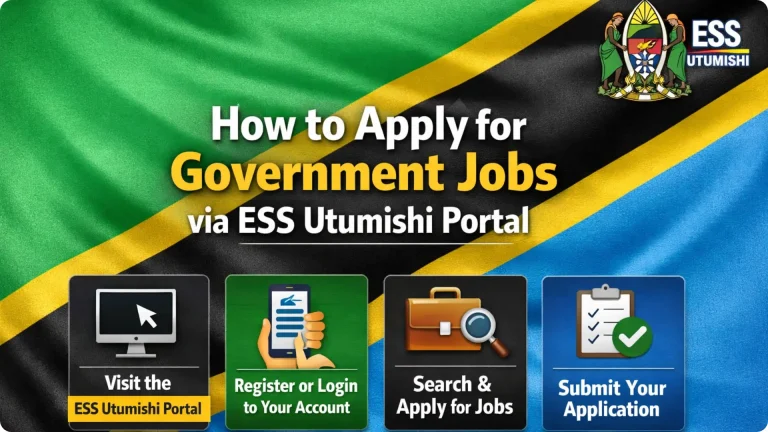
- Open the official portal. Go to https://ess.utumishi.go.tz in your browser and confirm the address ends in .go.tz — the only official domain.
- Log in. Enter your Check Number as the username plus your password. New to the portal? Register for ESS Utumishi first. Having sign-in trouble? See our ESS Utumishi login guide.
- Open the Leave module. From your ESS Utumishi dashboard, click the Leave section (labelled Leave Dashboard or Leave Management).
- Check your leave balance. Open Leave Balance or Leave Information and confirm you have enough days left for the leave type you want.
- Start a new request. Click “Apply for Leave” or “New Leave Request” and choose the leave type from the dropdown menu — annual, sick, maternity, paternity, study, or another category.
- Fill in the details. Enter the start date, end date, and number of days. Write a clear reason for the leave and add a phone number where you can be reached while away.
- Attach supporting documents. Upload what the leave type requires — a medical certificate for sick leave, an admission letter for study leave. Blurry photos are a common reason applications get returned.
- Review and submit. Double-check the dates and leave type, then submit. Save the reference number the portal gives you — you will need it to track the request.
- Track the status. In My Leave Applications or Leave History, watch for Pending, Approved, Returned, or Rejected.
Understanding the Approval Workflow
After you submit, your application moves through an approval chain. First it goes to your immediate supervisor, who checks the dates against the work schedule. It is then forwarded to the head of department or HR office for final approval, and your HR records update automatically once it is approved.
At each stage, the approver can approve the request, return it to you for correction, or reject it with a reason. Follow the progress under My Leave Applications, where you will see the current status and any comments from the approver. Processing time varies by office — if a request stays at “Pending” for a long time, follow up politely with your supervisor instead of submitting a duplicate request.
How to Check Your Leave Balance and Application Status
Log in to the ESS portal and open the Leave module from your dashboard. Choose Leave Balance or Leave Information to see your remaining days for each leave type — annual, sick, maternity, and the rest. This is the fastest way to confirm how many days you can still take this year.
To track a specific request, open My Leave Applications or Leave History. Each entry shows the leave type, the dates, the current status (Pending, Approved, Returned, or Rejected), and remarks from the approver. Check this page regularly after submitting so you can act quickly if an application is returned for correction.
What to Do If Your Leave Application Is Rejected
A rejection is not the end of the road. Work through it methodically:
- Read the rejection reason. The approver’s comment pinpoints the problem — wrong dates, missing documents, or insufficient leave balance.
- Fix the problem. Correct the dates, upload a readable supporting document, or choose a leave type with enough days remaining.
- Talk to your supervisor. A short conversation often clears up misunderstandings faster than another online submission.
- Reapply with corrections. Submit a fresh, corrected application rather than resending the identical request.
- Escalate properly if needed. If you believe the decision was unfair, raise it through your institution’s official grievance procedure.
Safety Tips: Protect Your ESS Utumishi Account
- Use only the official address. The genuine portal is https://ess.utumishi.go.tz. Any other domain claiming to be ESS Utumishi is fake.
- Never share your password. No government officer will ever ask for your password or one-time code by phone, SMS, or WhatsApp.
- Log out on shared devices. Always sign out when you use a cyber café or a shared office computer.
- Use the official support channels. For technical problems, contact the ICT Support Team at [email protected] or 026 216 0240, as listed on the portal itself.
- Never pay for approvals. Leave approvals follow the official workflow in the system. Anyone asking for money to “speed up” your leave is running a scam — report them.
Frequently Asked Questions
Can I apply for leave from my phone?
Yes. The ESS portal works in mobile browsers, and there is an official ESS Utumishi app on the Google Play Store. The steps are the same: log in with your Check Number, open the Leave module, and submit your request.
How many annual leave days do I get per year?
The standard entitlement for a confirmed public servant is 28 days of annual leave per year. Confirm your exact remaining balance in the portal’s Leave Balance section or with your HR office.
What documents do I need for sick leave?
Brief sick leave of a day or two usually needs only an explanation. Longer absence requires a medical certificate from a recognized health facility — upload a clear copy with your application.
How long does leave approval take?
It varies by office and season. Track the status under My Leave Applications and follow up politely with your supervisor if the request stays at Pending for a long time.
Can I cancel a leave application after submitting it?
Usually, yes. You can withdraw a request while it is still pending, before final approval. Look for a cancel or withdraw option next to the request in My Leave Applications.
What should I do if my supervisor does not respond?
Follow up in person or by phone — the portal will show the request as Pending at their stage. If delays continue, escalate through your institution’s normal reporting channels.
Is study leave paid or unpaid?
It depends on the approval. Government-sponsored study that is relevant to your duties is normally paid; private study may be granted without pay. Check the terms on your approval letter.
Final Thoughts
The ESS Utumishi leave application turns a paper chase into a few clicks — as long as you choose the right leave type, attach clear supporting documents, and track the approval in the portal. Bookmark this guide, check your leave balance regularly, and always use the official .go.tz address. This is an independent guide; for binding rules, consult your HR office and the public service standing orders.