HCMIS Login: Complete Guide for Tanzania Public Servants (2026)
If you are a public servant in Tanzania, you have probably heard colleagues mention HCMIS — and you may have searched for the “HCMIS login” yourself. But where do you actually log in? Many employees get confused, because there is no separate public website called “HCMIS” for staff to visit.
This guide clears up the confusion. You will learn what HCMIS is, how it connects to the ESS Utumishi portal, the exact steps to log in, how to reset a forgotten password, and how to fix the most common login problems.
Please note: this is an independent information guide. We are not the official government portal, and we cannot access your account for you.
What Is HCMIS Tanzania?
HCMIS stands for Human Capital Management Information System. It is the Government of Tanzania’s central system for managing public servants’ employment records. It stores payroll data, appointment details, promotions, transfers, training records, and retirement information for government employees across the country.
The system is managed by the President’s Office, Public Service Management and Good Governance — the ministry known as Utumishi. HR officers and government administrators use HCMIS to process employment changes, while every public servant has an official record inside it, identified by a unique Check Number. Think of HCMIS as the government’s official filing cabinet for everything about your employment.
HCMIS vs ESS Utumishi: How They Connect
This is the part that confuses most people. HCMIS is the database — the engine room. ESS Utumishi (Employee Self Service) is the website where you, as an employee, actually log in. The portal lives at ess.utumishi.go.tz and is also called the Watumishi Portal.
When you sign in to ESS, what you see — your payslip, your personal details, your leave balance — is pulled from your HCMIS record. In short: HCMIS stores the data; ESS displays it to you.
So when people search for “HCMIS login”, what they almost always need is the ESS Utumishi login. You do not need a separate HCMIS account or a different website. HR officers use special HCMIS modules behind the scenes, but as a public servant checking your own information, the ESS Utumishi portal is your door. If you are new to the portal, start with our step-by-step ESS Utumishi login guide.
The Official HCMIS Login Portal
The official portal for employee self-service is https://ess.utumishi.go.tz — the Watumishi Portal run by the Utumishi ministry. Type the address directly into your browser’s address bar instead of clicking links from unknown websites, messages, or social media posts.
Safety warning: the real portal’s address always ends in .go.tz, which is reserved for Tanzanian government websites. Any site claiming to be the HCMIS or Utumishi login on a .com, .net, or any other ending is not official. Never enter your Check Number or password on such sites.
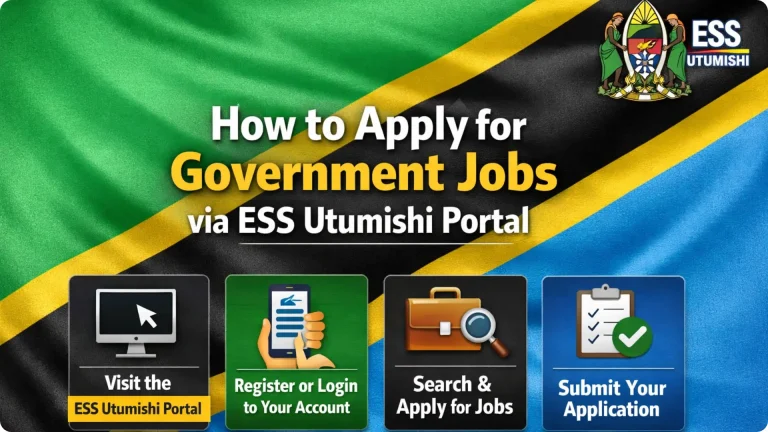
How to Log In: Step by Step
Follow these steps to access your account through the ESS Utumishi portal:
- Open your browser and go to https://ess.utumishi.go.tz.
- On the homepage, find and click the Login (Sign In) option.
- Enter your username — this is your Check Number, the unique number assigned to you as a government employee.
- Enter your password — the one you created when you registered.
- Click the Sign In button.
- You will land on your dashboard, where you can view payslips, personal details, leave, and more.
Have not registered yet? You cannot log in until you create an account. Registration requires your Check Number, your National ID (NIDA number), and a valid email address. See our full ESS Utumishi registration guide for the complete process.
How to Reset Your HCMIS Password
Forgotten passwords are the most common login problem, and the fix is straightforward:
- Go to the login page at ess.utumishi.go.tz and click Forgot Password.
- Enter your Check Number and the email address you used during registration.
- Submit the form. The system will send a password reset link or a new password to your email.
- Open your email inbox — and check the spam or junk folder too — then follow the instructions.
- Create a strong new password, return to the login page, and sign in with it.
If you no longer have access to the email address you registered with, the online reset will not work. In that case, contact the Utumishi support team at [email protected] or call 026 216 0240. You can also ask your institution’s HR office for help updating the email on your record.
After Login: What You Can Do
Once you are signed in, your ESS Utumishi dashboard gives you access to your payslips, personal and employment details, leave applications, and service requests. Take a moment to confirm that your personal details are correct — if anything looks wrong, report it to your HR office so your HCMIS record can be corrected at the source.
Common HCMIS Login Problems and How to Fix Them
1. “Invalid username or password.” Double-check your Check Number for typing errors, and make sure Caps Lock is off — passwords are case-sensitive. If the details are correct, reset your password using the steps above.
2. “I have never registered.” Login only works after registration. You will need your Check Number, NIDA number, and a working email address — see our registration guide.
3. “The email address is not tied to my profile.” This appears when the email you entered does not match the one on your record. Use the exact email address you registered with, or contact Utumishi support if you have lost access to it.
4. The reset email never arrives. Wait a few minutes, then check your spam or junk folder. Make sure you entered the correct registered email address and that your inbox is not full.
5. The page will not load. The portal occasionally goes down for maintenance, or your connection may be slow. Try again later, and always confirm you are on the official address: ess.utumishi.go.tz.
6. “Check Number not recognized.” Confirm the number against your appointment letter or payslip. If it still fails, your HR office can verify whether your record exists in HCMIS.
Stay Safe: Protect Your Account
- Only ever log in through addresses ending in .go.tz.
- Never share your password or Check Number with anyone — not even colleagues or callers claiming to be officials.
- Always log out when using a shared or public computer.
- Ignore calls, texts, or messages asking for “verification fees” or your login details. The government will never ask for these.
- Change your password regularly, and do not reuse passwords from other sites.
Frequently Asked Questions
What is HCMIS?
HCMIS is the Human Capital Management Information System — the Tanzanian government’s central database for public servants’ employment and payroll records, managed by the Utumishi ministry.
What is the official HCMIS login portal?
The official portal is the Watumishi (ESS) Portal at https://ess.utumishi.go.tz. There is no separate public “HCMIS” website for employees — you access your HCMIS record through ESS.
Is HCMIS the same as ESS Utumishi?
No. HCMIS is the behind-the-scenes database, while ESS Utumishi is the website employees log in to. When you use ESS, you are viewing your own HCMIS record.
What is my HCMIS username?
Your username is your Check Number — the unique number assigned to you as a government employee. You will find it on your appointment letter or payslip.
How do I reset my HCMIS password?
On the login page, click “Forgot Password”, enter your Check Number and registered email address, and follow the reset link sent to your email. The full steps are in the password section above.
I have never registered. What should I do?
Register first — login only works after registration. You will need your Check Number, your NIDA number, and a valid email address. See our ESS Utumishi registration guide.
Can I access the portal on my phone?
Yes. The ESS Utumishi portal works in a mobile phone browser, so you can log in, view payslips, and apply for leave from your smartphone.
Who do I contact if I still cannot log in?
Email the Utumishi support team at [email protected], call 026 216 0240, or visit your institution’s HR office for in-person help.
Conclusion
The HCMIS login is simpler than it first appears: as a public servant, you log in through the ESS Utumishi portal at ess.utumishi.go.tz using your Check Number. Keep your login details private, use only the official .go.tz address, and contact Utumishi support if you get stuck. Bookmark this guide so you can find these steps quickly whenever you need them.